

Priima 5.0 was released on 10 June 2026 at 18:00. In these release notes, we outline the key updates and changes.
Important: Priima 5.0 is not enabled automatically. The new version must be enabled using the update function in Administration. More detailed instructions can be found in this notice under the section Updating from Priima 4 to Priima 5.
Contents:
- Priima 5.0: A renewed user experience
- Login page
- Registration forms
- Role-based experience and role-specific updates
- New feature area: Competencies
- Other improvements
- Updating from Priima 4 to Priima 5
- Update function
- Updating to Priima 5
- Try Priima 5.0 and give feedback
- Priima Academy
- Priima 5 Help Center
Priima 5.0: A renewed user experience
Priima 5.0 introduces a significantly redesigned user experience. The main focus areas of this release are the learner experience, clearer navigation, and a role-based user interface.
Login page
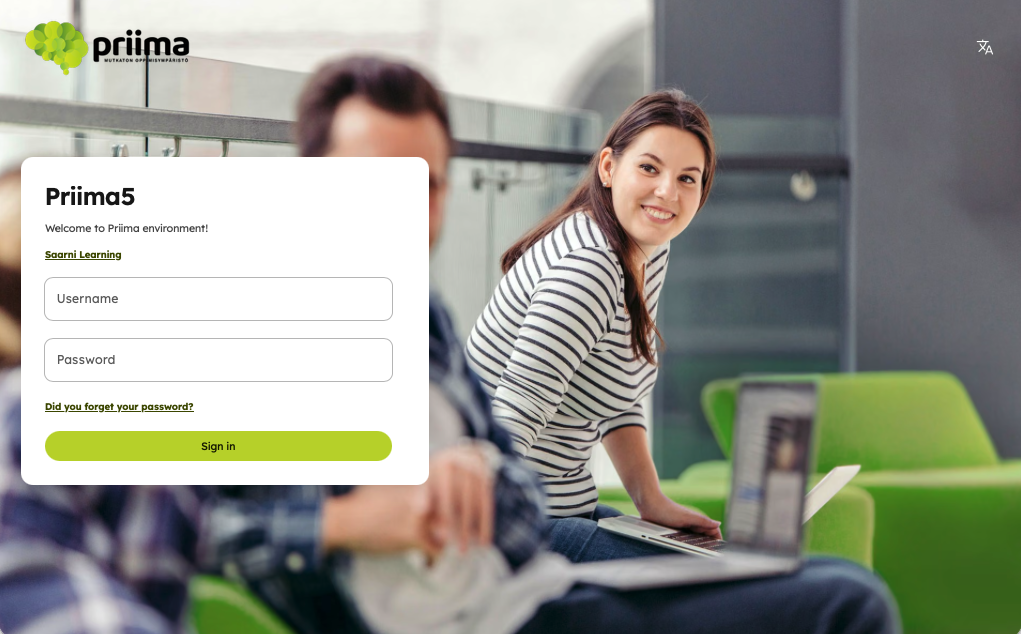
The login page has been fully redesigned. It displays the background image, logo, introduction text, announcements, and links configured in administration.
Registration forms
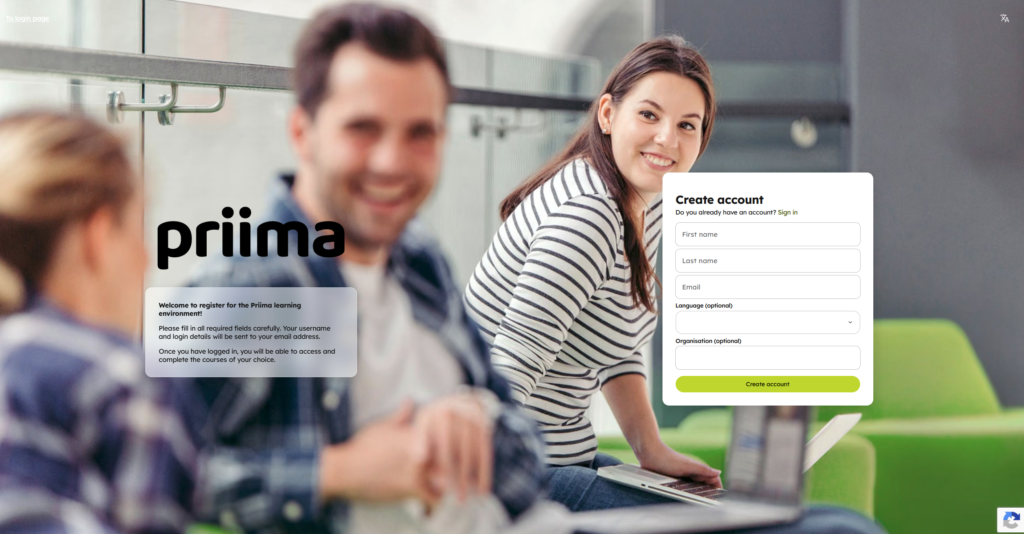
The registration page has been redesigned. Existing registration forms created earlier will continue to work in the new interface. The registration page displays the user data fields, image, and description text defined in administration. Strong authentication remains available on the registration form and is fully compatible with the new interface.
Role-based experience and role-specific updates
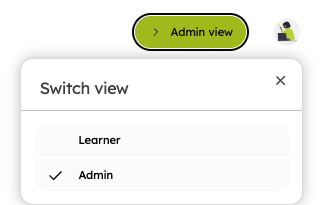
In Priima 5.0, the user interface adapts to the user’s role. A new Switch view selector in the top-right corner allows users to move smoothly between roles.
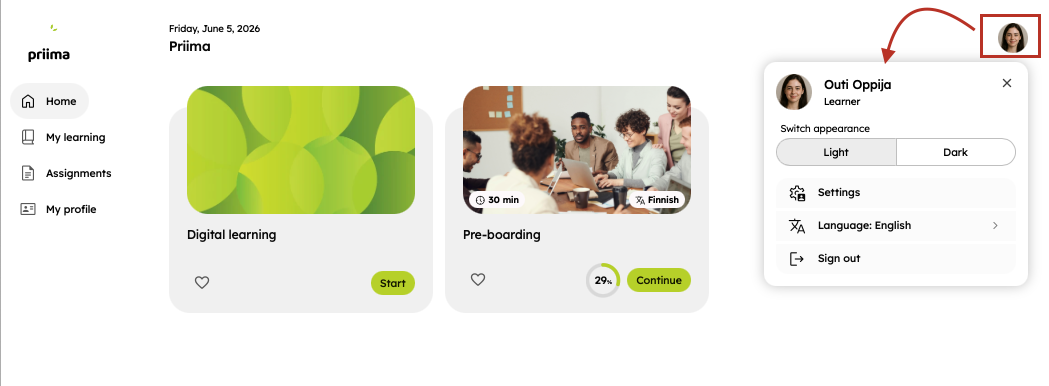
For all roles, the profile menu works consistently. Users can switch from the default light theme to a dark theme. The menu also includes general settings such as password change, language selection, and log out.
Learner improvements
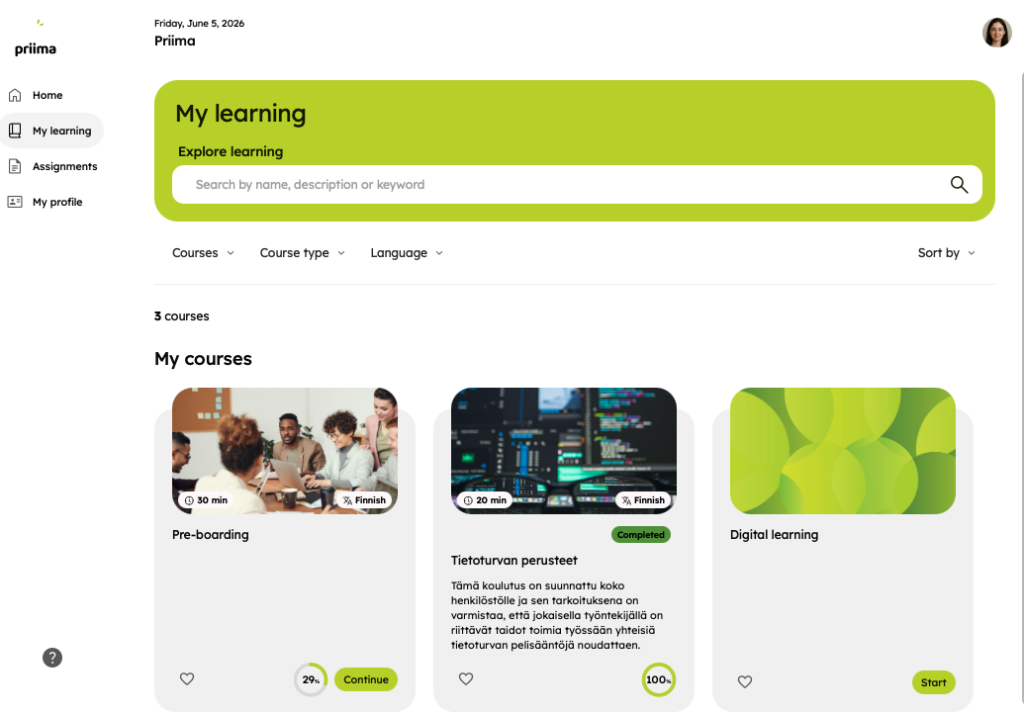
The new learner interface consists of four main views:
- Home is the start page view defined by the environment administrator. One or more home pages may be targeted to the user.
- My learning contains the learner’s own courses as well as courses from the course catalog.
- Assignments shows all learner tasks from their own courses. By default, required tasks in Not completed status are shown first.
- My profile allows the learner to edit personal information and review completions and downloadable certificates.
Instructor improvements
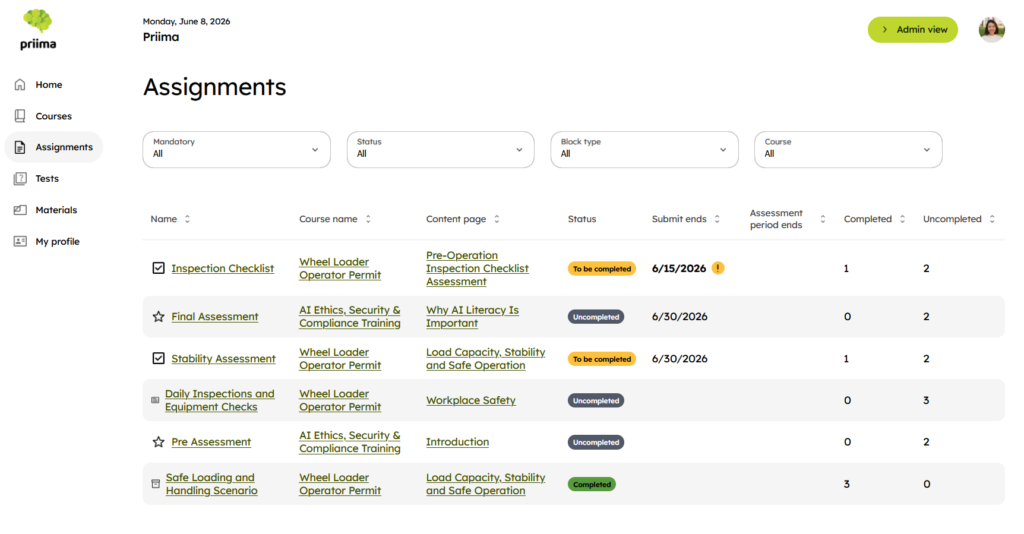
- Courses shows all courses where the user is assigned as a course administrator or instructor.
- Assignments provide a consolidated view of course tasks. By default, tasks in Waiting for assessment status are shown first.
Manager improvements
If a user is the manager of at least one other user, the role menu will include a My Team option.
- Home is the start page view for managers, as defined by the environment administrator.
- Reports shows the learning completions of the user’s team. The view also includes a separate section for Reports targeted to me if reports have been assigned to the manager or if the manager has saved a report related to team learning.
New in environment administration
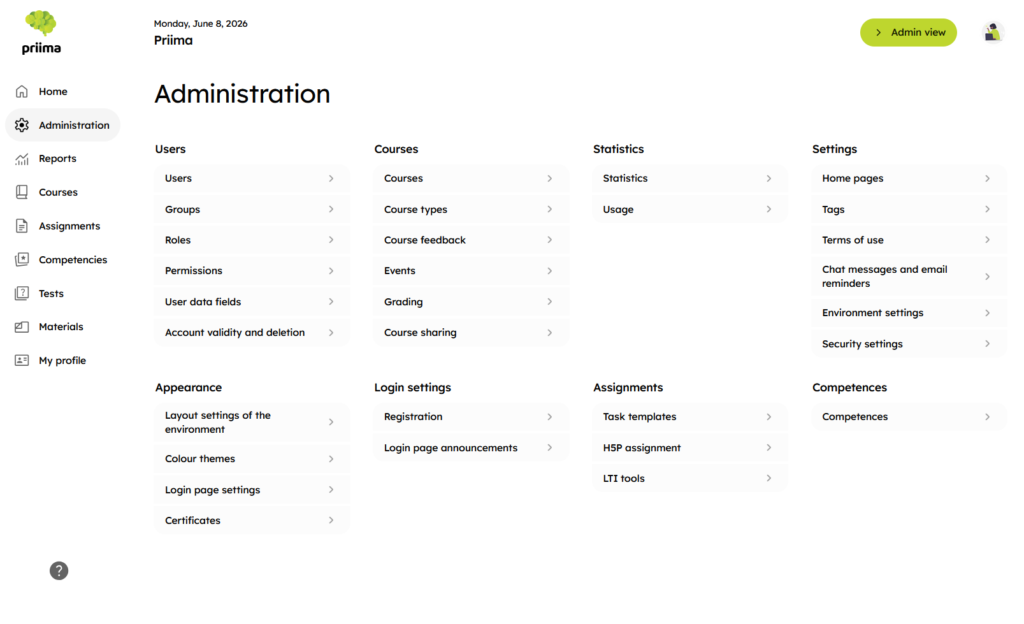
- The navigation of the administration view has been redesigned.
- Arranging home pages: An administrator can organise the home pages in the desired order, based on which page should be shown first to each target group.
- New permission-level feature: Administrators can now prevent users from editing their own information. This is useful in situations where user data is imported, for example, from an HR system. The setting is available in permission-level settings and must be enabled separately.
New feature area: Competencies
Competencies is an additional service included in the Enterprise service level. Customers can order it for their Priima environment through Priima Helpdesk.
This functionality will evolve in future releases.
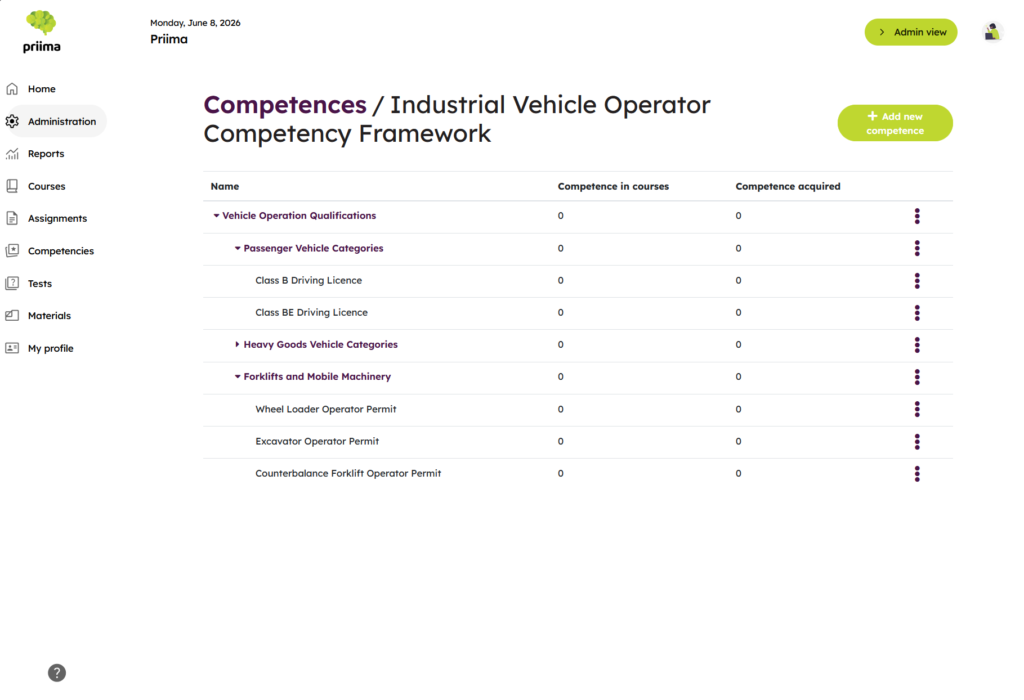
Competency framework and competency definitions
The environment administrator can define a competency framework in Priima, meaning a competency structure to which competencies can be added. More than one competency framework can also be created.
Linking competencies to a course
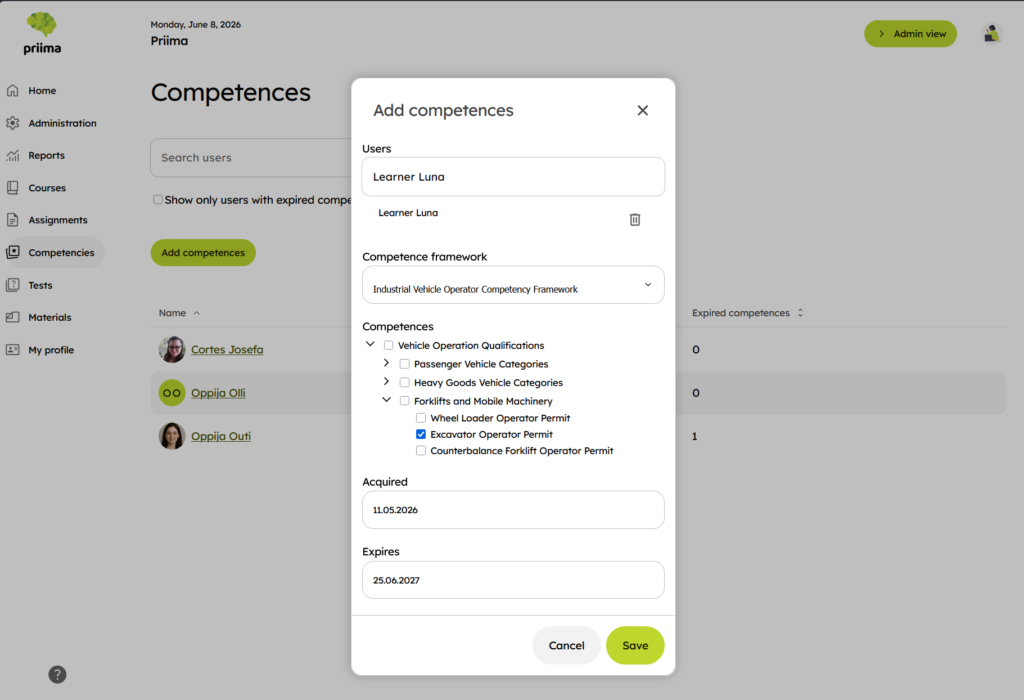
One or more competencies can be linked to a course so that they are earned by completing that course. If the course completion has a defined validity period or expiration time, the competency will remain valid for the same period.
Granting competencies manually
The environment administrator can grant competencies to a user manually without a separate course completion. This workflow will continue to be developed further.
Competencies in the learner view
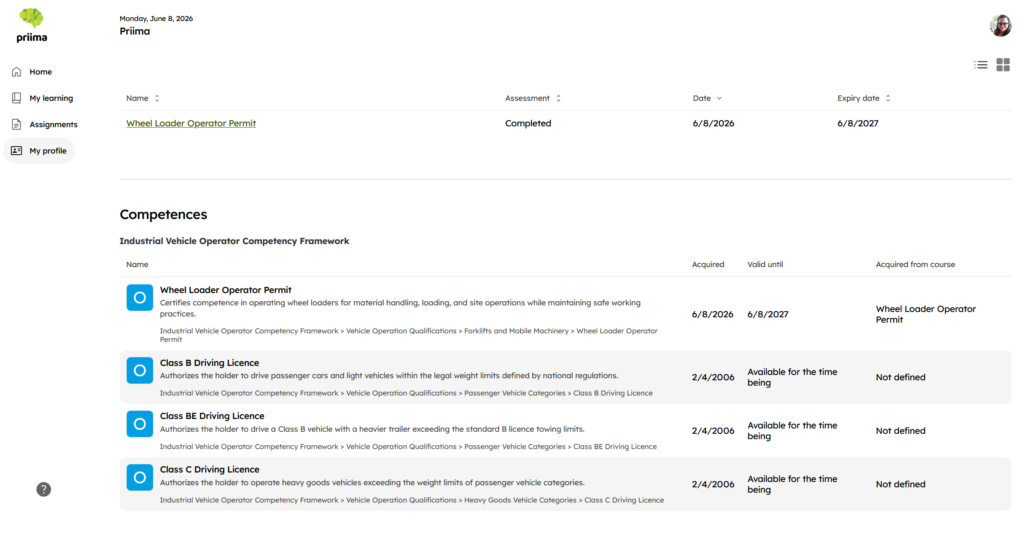
Learners can see earned competencies in the My profile view under Competences. The newest competencies are shown first in the list.
Other improvements
REST API
- Course metadata now also includes the keywords set for courses, and learner completion data now indicates whether the course is a required course for the learner.
- When creating or updating a user, it is now possible to send an email containing user account information and to reset the user’s password after a defined period of inactivity.
- Support has been added for retrieving the latest competencies and their metadata for one user, multiple users, or all users in an environment.
- The course report API (assignments_report) now supports pagination to improve performance, returning users in a more controlled way and preventing uncontrolled response size growth. This change is backward compatible for existing integrations.
Terminology changes
In Priima 5.0, the terminology used in the user interface has been harmonised:
| Old term | New term |
|---|---|
| Course catalog | Explore courses (learner) / Courses (instructor) |
| Result | Completion |
| Dashboard | (The Dashboard view is no longer available in Priima 5) |
| Primary color | Primary color |
| Highlight color | Secondary color |
| Manage / Learn | Switch view |
Updating from Priima 4 to Priima 5
Priima 5.0 does not yet include learning paths, chat messages, recommendations, or Open Badge digital badges. These features are currently being rebuilt for the new interface and will be released in future Priima 5 updates.
Update function
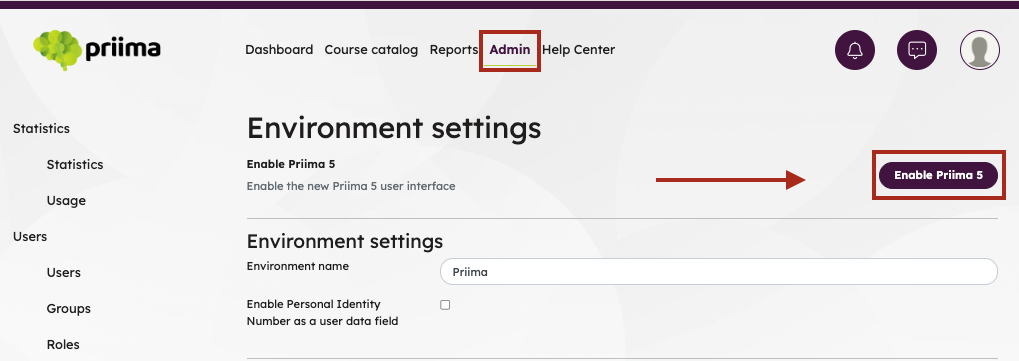
The technical readiness for Priima 5.0 will be deployed on 10 June 2026 at 18:00. If the features currently used in the customer’s Priima 4 environment are available in Priima 5, an Enable Priima 5 function will appear on the environment settings page.
If the environment uses features that are not yet technically available in the new interface, this function will not be shown. Once the update function is visible in the environment, the environment administrator can perform the update to the new interface.
Updating to Priima 5
The Priima environment administrator can choose when to update the environment to the new interface. The update takes only 5–10 seconds, but we recommend performing it during a low-usage period.The administrator will see the new interface immediately after the update. If other users are logged in to Priima during the update, the interface will change for them the next time the page refreshes. Otherwise, they will see the new interface the next time they log in.
Recommended checks after the update:
- Review the environment appearance and colors
- Login page background image (minimum size 1920 × 1080 px, 1080p)
- Login page logo (minimum size 800 × 200 px)
- Home pages
- Course image (minimum size 1280 × 720 px, 720p)
- Registration form image (recommended size 1024 × 768 px)
The user interface version update does not affect interface integrations such as single sign-on or integrations for user and completion data.
If you have questions about updating to Priima 5, please contact your customer contact person, the customer team or Priima Helpdesk.
Current limitations
- Notifications are not yet available to users behind the bell icon.
- Users cannot yet change their notification settings.
- Setting login page button colors individually is not available.
- Learners do not have a separate Materials view.
- The following features are not available in targeted content blocks on home pages:
- For learners: expired and expiring course completions, and completion status of own courses
- For instructors: unassessed assignments
Features whose support is ending
- Support for external login methods using Facebook, LinkedIn, and Google is ending.
- The Wikipedia content block is not available on home pages.
Try Priima 5.0 and give feedback
We recommend trying Priima 5 in a demo environment before updating. This helps demonstrate the changes in practice.
Learner’s account
olli.oppija
Priima5Demo!
Course admin’s account
kaisa.kouluttaja
Priima5Demo!
You can send us feedback on the new version through the feedback form.
Priima Academy
We will update Priima Academy to Priima 5.0 on Jun 10, 2026 between 18:30 and 20:00. At the same time, we will publish a new course, Siirtyminen Priima 5 -versioon (only in Finnish), which provides additional guidance and tips for the version update.
Log in to or register for Priima Academy:
Priima 5 Help Center
We are building a new Priima 5 Help Center and plan to publish it in August 2026. During the transition phase, we support customers individually. Any guidance needed for the transition and for getting started with Priima 5.0 is available from your account manager, the customer team, or Priima Helpdesk.
Do you have any questions about the content of the update? You can contact us!
Kind regards
Team Priima