

Environment administrators can define stricter password requirements for passwords set by users through the Change Password function and for passwords set by administrators for local accounts. (These settings do not apply to single sign-on accounts or accounts using strong authentication.)
Default password settings (always applied to all users):
- password must not contain your first or last name
- password must contain at least 8 characters
- new password cannot be the same as your current password
In Administration > Environment > Security Settings, you can tighten the default settings.
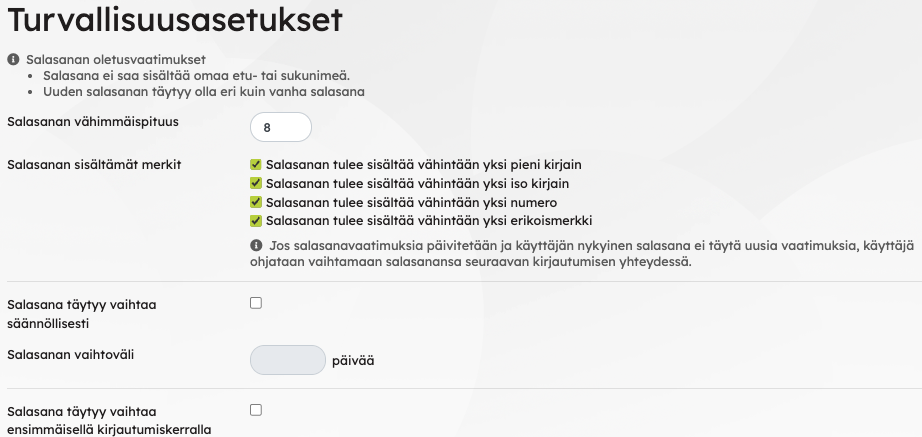
Set your preferred extra requirements
Password minimum length and other password requirements:
- Minimum password length can be 8–24 characters.
- Password must contain a minimum of one lowercase letter.
- Password must contain a minimum of one uppercase letter.
- Password must contain at least one number.
- Password must contain a minimum of one special character.
You can set a password change interval (minimum 30 days). The first interval starts from the account creation date.
You can also require users to change their password on first login. If enabled, users are immediately taken to the password change screen after logging in for the first time. After setting a new password, they must log in again with the new password.
If password requirements are updated and a user’s current password does not meet the new requirements, the user will be prompted to change their password at the next login.